

This Content Is Only For Subscribers
Holiday mail delays plus bank holidays can turn “the check’s in the mail” into a week of excuses. If you’re not ready to roll out a full resident portal, Zelle, Venmo, and Go4Rent can bridge the gap—fast. Here’s how to choose, set up, and run them so January rent lands on time and your books stay clean.
When each tool makes sense
Zelle (bank-to-bank):
Great for residents with checking accounts and landlords who want fast transfers with no card fees. Payments typically settle quickly between participating banks. Best for small portfolios or single-family homes where you know each payer.
Venmo (with a Business Profile):
Useful when renters prefer app-to-app and want a familiar interface. Business Profiles provide better reporting, labels, and a public handle. Expect processing fees on most business transactions.
Go4Rent (Texas-friendly rental platform):
Purpose-built for landlords: applications + rent collection, bank transfers, receipts, and basic reporting under one roof. Good middle ground if you want something more structured than person-to-person apps without adopting full property management software.
Pros, cons, and practical safeguards
Zelle
- Pros: Fast, low-cost, funds go straight to your bank.
- Cons: No built-in invoices, weak memo controls, limited dispute handling.
- Safeguard: Require a fixed memo format (e.g., “1234-UnitB-2026-01 Rent”). Lock this into your welcome email and reminders.
Venmo (Business)
- Pros: Easy adoption, transaction notes, downloadable activity, and payer history.
- Cons: Fees, possible chargebacks/disputes.
- Safeguard: Use a Business Profile (not personal), turn on tips = off, and publish a short refund/chargeback policy in your profile.
Go4Rent
- Pros: Built for rentals—requests, receipts, late-fee logic, and better ledger mapping.
- Cons: Setup time and per-transaction costs; you’ll still reconcile to your accounting.
- Safeguard: Test request → payment → export before rollout; confirm business-day cutoffs.
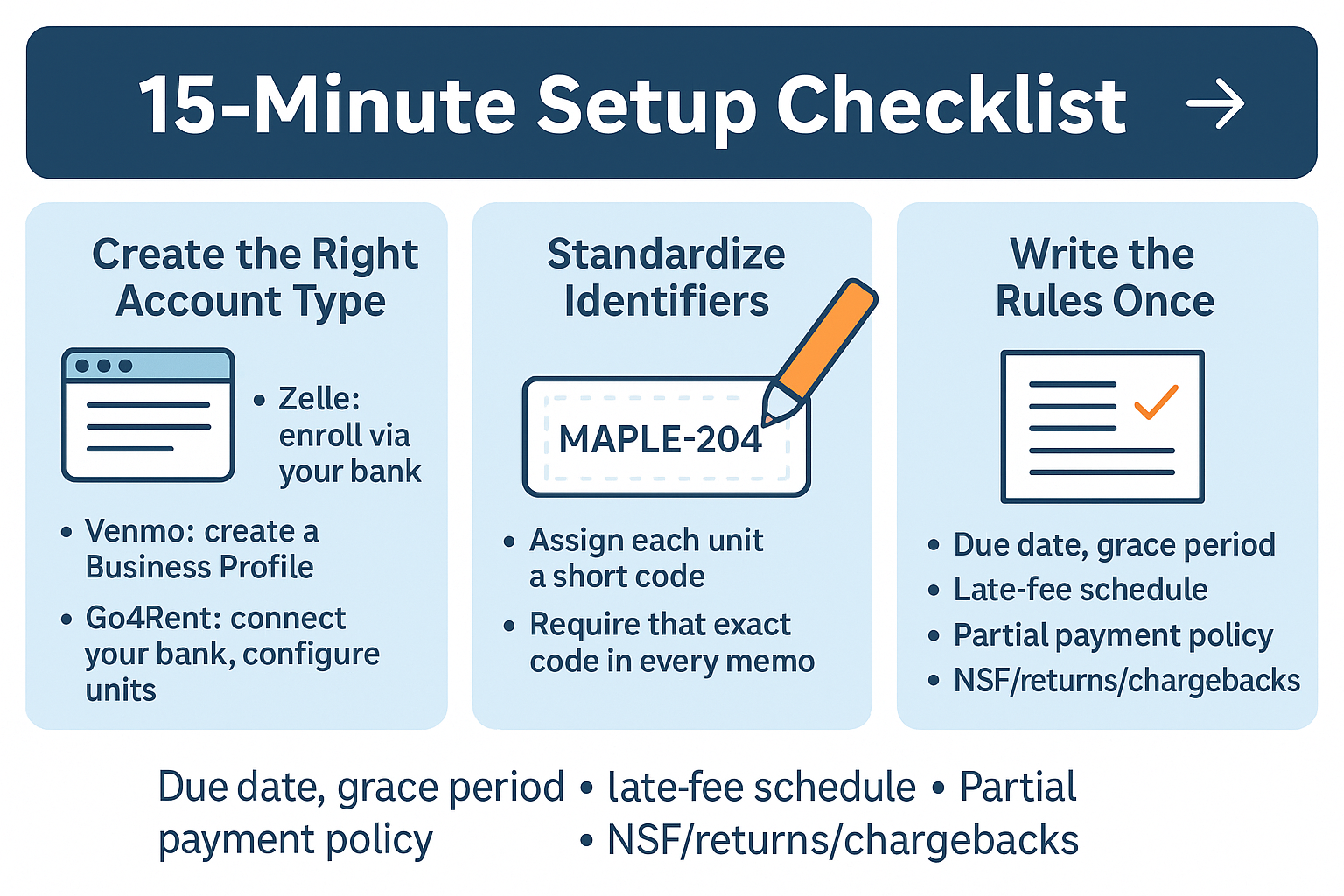
Setup checklist (15-minute version)
- Create the right account type
Zelle: enroll via your bank (business enrollment if offered).
Venmo: create a Business Profile with your company name/logo.
Go4Rent: connect your bank and configure unit IDs and due dates.
- Standardize identifiers
Assign each unit a short code: “Maple-204”.
Require that exact code in every memo.
- Write the rules once
Due date, grace period, late-fee schedule, partial payment policy, NSF/returns/chargebacks.
Post the same rules in your lease addendum, welcome email, and pinned message.
- Turn on receipts
Ask residents to screenshot the confirmation and also rely on in-app receipts.
For Go4Rent, make sure auto-receipts are enabled.
- Test a live $1 payment from a spare account. Verify timing and what the export looks like.
Holiday-proof messaging (copy/paste)
Announcement (email/text)
You can now pay online by Zelle/Venmo/Go4Rent. Please include [Property-Unit] + “Month Rent” in the memo, e.g., “Maple-204 01/2026 Rent.”
Holiday reminder: Bank holidays delay paper checks. Schedule digital payments by Dec 29, 4:00 p.m. CT to avoid late fees. Help: [contact].
Day-5 late reminder
Our records show no January rent for Maple-204. Pay today via Zelle/Venmo/Go4Rent using memo: “Maple-204 01/2026 Rent.” Late fees follow the lease after [date].
Reconciliation that won’t wreck your Monday
- Daily sweep: Export activity, sort by memo, and post to ledgers.
- Enforce memos: Payments missing the unit code are held in “Suspense—Identify.” One text gets it corrected.
- Color-code exceptions: Chargebacks, partials, and duplicates go to a short “Exceptions” tab you clear every Friday.
- Month-end packet: Save a CSV/PDF export, plus screenshots of any disputes resolved, to your year-end folder.
Rules to avoid disputes
- “On time” = app timestamp, not “I initiated elsewhere.”
- No partials after a legal notice is posted (if applicable). Otherwise, allow partials only with an approved plan.
- Exact memo format required; nonconforming payments may be returned.
- Fees: State who pays them (e.g., Venmo fee to payer).
- Chargebacks/returns: Spell out consequences and late-fee clock.
Consistency is your best friend—apply to every resident the same way.
Edge cases you’ll actually see
- Roommates: Require one payment per lease or define exact split memos: “Maple-204 A/B.” Post who owes what in writing to avoid “I paid my part” standoffs.
- Employer/third-party payers: Provide the exact memo string and request the payment screenshot the day they send it.
- Cash-based residents: Offer a cash-to-ACH barcode alternative (if you use it elsewhere) and keep all digital.
Security & policy hygiene
- Two-factor auth on every payment app.
- No card numbers over the phone.
- Limit staff permissions; only finance/admin can change handles or bank links.
- Update your lease exhibits with approved payment methods and fee language.
- Archive monthly exports for tax time; purge sensitive data on schedule.
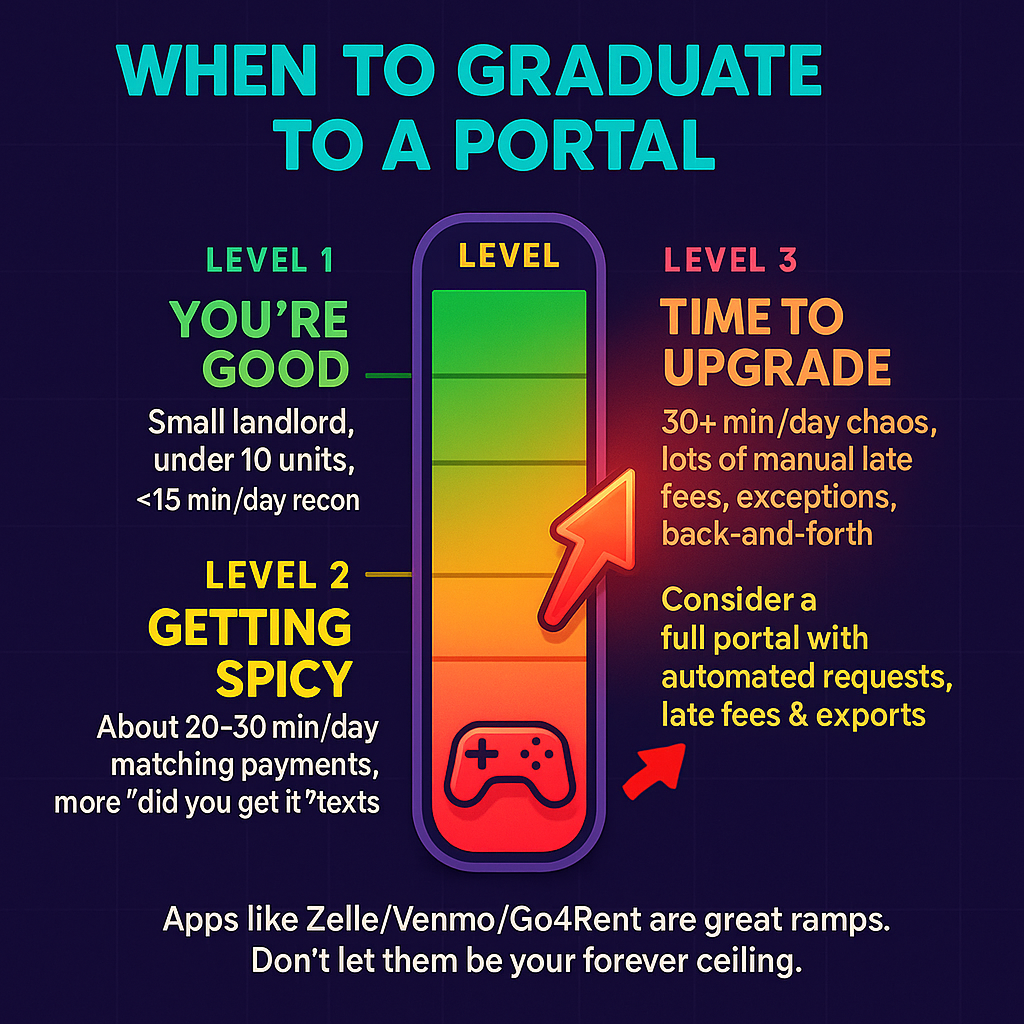
When to step up to a portal
If you spend more than 30 minutes a day matching payments, fighting memos, or answering “did you get it?” messages, graduate to a platform that automates requests, receipts, late fees, and exports. Zelle/Venmo/Go4Rent are great on-ramps; don’t let them become your forever ceiling.
Bottom line
Holiday mail is unpredictable; your rent flow shouldn’t be. Choose one digital rail, set fixed memos and deadlines, communicate cutoffs in Central Time, and reconcile daily. Do that, and your January will start with funded deposits and fewer excuses—no matter what the post office or the weather decides.


