

This Content Is Only For Subscribers
Lease signing is one of those landlord tasks that feels simple—until you’re chasing it. A tenant says they’ll sign “tonight,” the deposit is “coming tomorrow,” the co-signer is “out of town,” and suddenly your move-in date is a week away with half the paperwork still floating around in text messages.
For small landlords renting single-family homes, automated reminders aren’t about nagging. They’re about keeping the process moving without you babysitting it. The right reminders reduce no-shows, shorten vacancy time, and create a clear record of what was requested and when.
Here’s how to set up lease-signing reminders that feel professional and actually work.
What reminders should cover (the lease is only one piece)
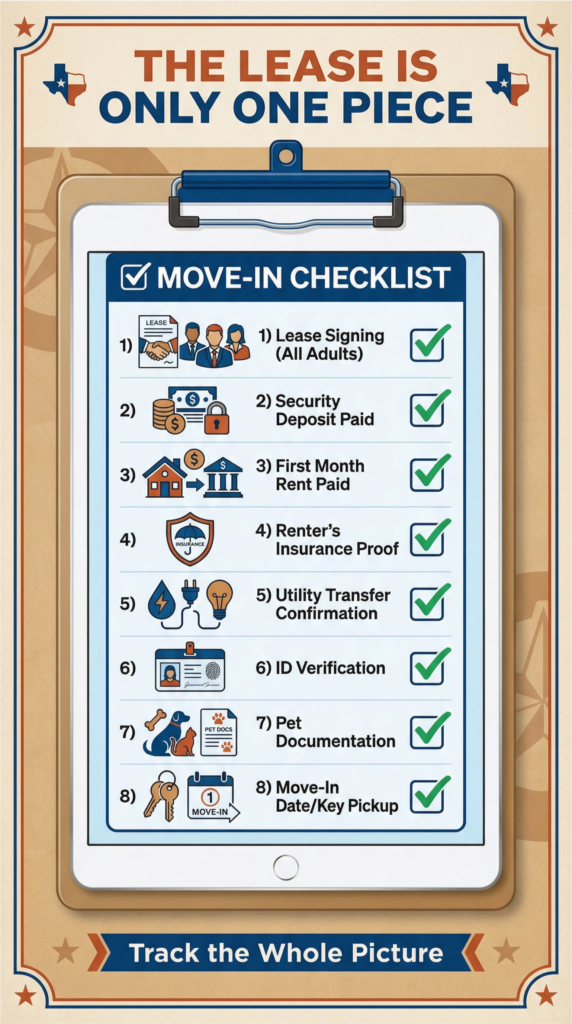
Most delays happen because lease signing depends on multiple steps. Your reminder system should track the whole “ready to move in” checklist:
- Lease signing (all adults)
- Security deposit paid
- First month’s rent paid (or prorated amount)
- Proof of renter’s insurance (if required)
- Utility transfer confirmation (if required)
- ID verification (if part of your process)
- Pet documentation (if applicable)
- Move-in date/time and key pickup plan
If you only remind people to “sign the lease,” you’ll still get stuck waiting on money, insurance, or utilities.
Use milestones, not random pings
A good automated reminder sequence is tied to milestones. Think of it like a short runway:
Milestone 1: Approval and “next steps” (immediate)
As soon as you approve the tenant, send a single message that lists:
- What’s due
- Due dates
- How to complete each step
- What happens if deadlines aren’t met (hold policy)
Automation value: you stop rewriting the same email every time.
Milestone 2: 48-hour check-in
If the lease isn’t signed and payments aren’t received within 48 hours (or whatever window you use), send a reminder:
- Friendly, direct, and specific (“Lease still pending signature from John Smith”)
- Includes the link or instructions again
- Re-states the deadline
Milestone 3: 24 hours before the deadline
This reminder isn’t about pressure—it’s about preventing “I forgot” and catching issues:
- “If you’re having trouble accessing the signing link, tell me today so we can fix it.”
Milestone 4: Confirmation when complete
Once everything is done, send an automatic “You’re set” message:
- Lease completed
- Funds received
- Move-in time confirmed
- Any move-in instructions attached (lockbox, keys, parking, HOA)
This reduces anxiety and cuts down on last-minute questions.
Choose reminder channels tenants actually read
For most landlords, the best approach is:
- Email for official steps and attachments
- Text for brief nudges and confirmations (if you and the tenant are already using it)
If you use a tenant portal or e-sign tool, it often sends its own reminders. That’s useful—just make sure your process doesn’t bombard tenants from three different systems with conflicting dates.
Rule of thumb: one “official” channel + one “nudge” channel.
Write reminders that feel firm but normal
Tenants respond better to clarity than to pressure. Good reminders are:
- Short
- Specific about what’s missing
- Clear on the deadline and next action
Examples of wording style (not scripts):
- “Quick reminder: the lease is still awaiting signatures from two adults on the application. Please sign by 5 p.m. Friday to keep the move-in date.”
- “Deposit is still pending. If you’ve already sent it, reply with confirmation so I can match it.”
Avoid emotional language or assumptions (“you haven’t bothered to sign”). Treat it like a checklist.
Automate your “hold” policy to avoid awkward conversations
Many landlords lose weeks to indecision because the tenant thinks the home is reserved and the landlord thinks it isn’t.
If you have a hold policy (recommended), your reminders should clearly state:
- Whether the home is held only after deposit is paid
- The deadline to complete lease signing and payments
- What happens if the deadline passes (listing resumes)
This isn’t about being harsh—it’s about preventing misunderstandings that cost you rent.
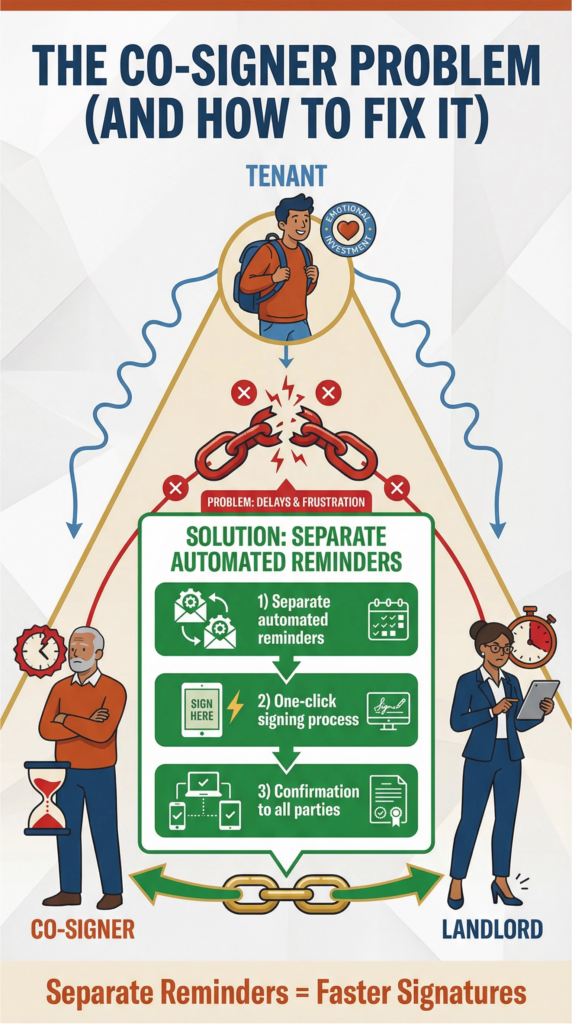
Don’t forget the co-signer problem
Co-signers are a common source of delays because they’re not emotionally invested in the move.
If a co-signer is required:
- Trigger separate reminders for the co-signer’s signature
- Include a short explanation of what they’re signing and by when
- Confirm completion to all parties once done
The more “one-click” you make this, the less it drags.
The bottom line
Automated reminders keep lease signing from becoming a slow chase. The best system is milestone-based:
- Approval → next steps message
- 48-hour reminder if incomplete
- 24-hour deadline reminder
- Completion confirmation with move-in details
When reminders are clear, consistent, and tied to a simple checklist, tenants move faster, you fill vacancies sooner, and you spend less time following up—without ever sounding like you’re pestering.


