

This Content Is Only For Subscribers
Bank holidays, out-of-office replies, and weather delays make December–January the most chaotic months for rent tracking. The cure is a single source of truth, a simple daily cadence, and message logs you can defend. Here’s a lean system you can run with a portal, spreadsheet, or lightweight PMS—built to keep you calm when half your residents are traveling.
Your north star: one source of truth
Pick one system where payments and messages live together (or are mirrored daily).
- Primary ledger: your PMS or a spreadsheet that lists Unit, Resident, Amount Due, Amount Paid, Method, Timestamp, Notes.
- Message log: a column (or linked sheet) with Date, Channel (SMS/Email/Call/Portal), Template Used, Staff Initials.
- Document links: paste URLs or filenames for receipts, screenshots, bank returns, notices.
Rule: if it isn’t in this file, it didn’t happen.
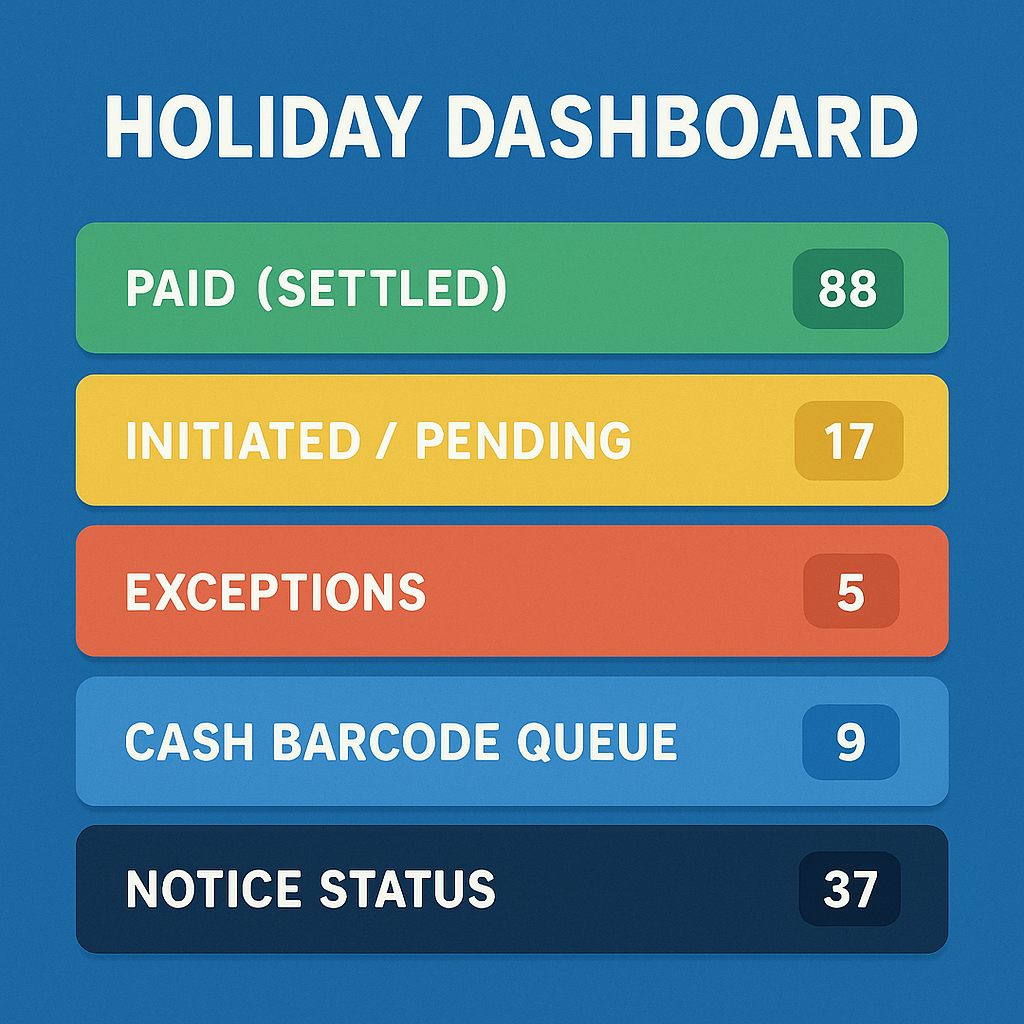
Set up the holiday dashboard (30 minutes)
Create filters or views:
- Paid (Settled): confirmed funds.
- Initiated / Pending: card/ACH started but not settled; show submission time and expected funding day.
- Exceptions: returns/NSF, chargebacks, missing unit memo, duplicate payments.
- Cash barcode queue: who plans to pay at retail and has a code.
- Notice status: none / reminder sent / late notice posted (with date).
Color code: green (settled), yellow (pending), red (exception).
Daily cadence (Dec 27–Jan 8)
Morning (15 minutes)
- Refresh settlements. Move “Initiated” → “Paid” when funds clear.
- Scan “Exceptions” and assign owners: “JR to text 204 about NSF.”
- Post a brief team note: “On-time 74%. 8 exceptions. 12 pending ACH.”
Midday (10 minutes)
- Send targeted nudges (not blanket blasts): pending ACH cutoffs, cash barcode instructions, or portal link resets.
End of day (10 minutes)
- Document who you contacted, how, and outcome.
- Update ETA dates for pending payments based on bank calendars.
- Reconcile message count with unit count (no one left behind).
Tag the payment method (and plan for its quirks)
- ACH: track submit time and note holiday business-day rules.
- Card: post authorization time; watch for disputes—attach signed lease and receipts.
- Cash barcode: log the store, date given, and code ID; request a photo of the retailer receipt.
- Zelle/Venmo/alt rails: enforce a unit memo format (e.g., Maple-204 01/2026 Rent). Nonconforming = “Suspense—Identify.”
Message templates (paste-ready)
Pending ACH (Cutoff Reminder)
“Thanks—your payment shows as initiated. Because of bank holidays, ACH after 4:00 p.m. CT posts next business day. If you need Jan 1 credit, please submit before cutoff. Pay/verify: [link].”
Exception—NSF/Return
“Your bank returned last payment for [Unit]. Update details and resubmit today: [link]. Returned-payment fee per lease may apply. Need help? [phone].”
Cash Barcode Instructions
“Pay at [Retailer] with this barcode [code]. Keep the receipt and text a photo to [number]. Posting occurs same/next business day depending on time of day.”
Proof Request (disputed ‘I paid’)
“Please reply with a screenshot of your confirmation (date/time/amount). We’ll match it in our system and confirm.”
Always save the sent message or a screenshot to the log.
Exceptions workflow you can run in your sleep
- Identify (auto report or morning review).
- Contact (template + link + cutoff guidance).
- Correct (update bank info, issue new barcode, or resend portal invite).
- Confirm (receipt screenshot or settlement appearing).
- Close (move out of Exceptions; note staff initials + timestamp).
If unresolved by Day 5, escalate per lease: late notice posted, online partials disabled (if policy), payment plan only with written approval.
Metrics that matter (and when to look)
- On-time rate by method (ACH/card/cash).
- Initiated-but-not-settled count at T-1 and Due Day (move reminders earlier if high).
- Exception resolution time (goal: <48 hours).
- Message coverage (100% of unpaid units received the correct nudge).
- Support volume (top issues: login resets, bad links, bank verification).
Review these on Jan 3 and Jan 8; adjust cutoff language or timing next cycle.
Documentation for future you (and your CPA)
- Export monthly settlement reports (CSV/PDF) and save in the property’s year-end folder.
- Attach NSF/chargeback proofs and final outcomes.
- Keep text/email logs with timestamps; purge sensitive data per policy after tax season.
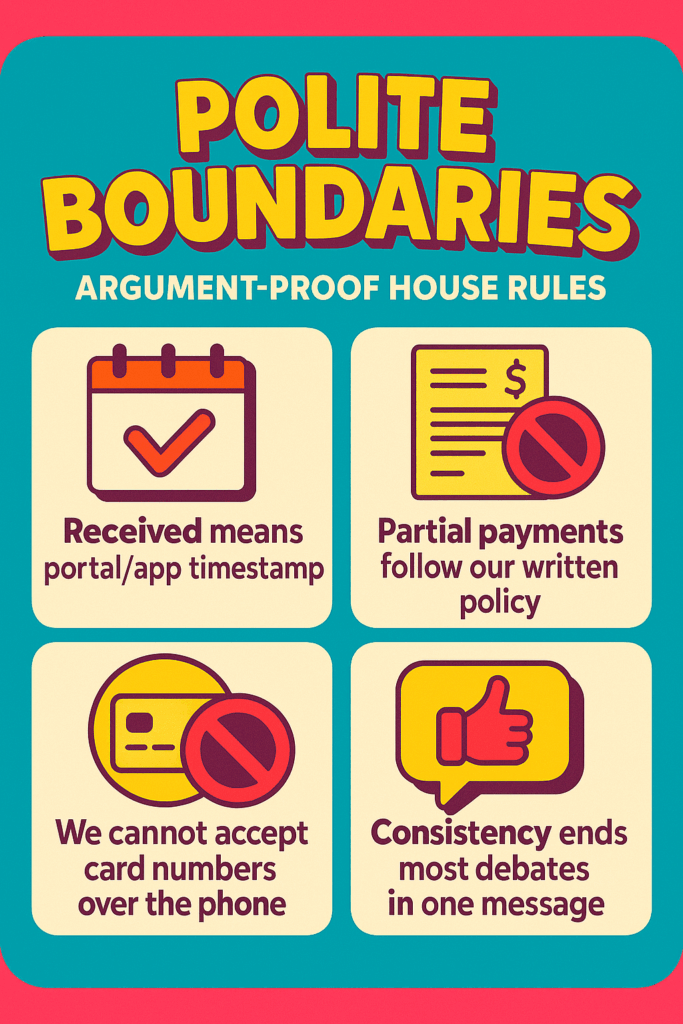
Polite boundaries that prevent arguments
- “Received means portal/app timestamp.”
- “Partial payments follow our written policy and are disabled after notices.”
- “We cannot accept card numbers over the phone; please use the secure link.”
Consistency ends most debates in one message.
Bottom line
Holiday tracking isn’t about heroics; it’s about one file, one cadence, and clear records. Keep payments and communications in the same place, review twice a day, and use short, targeted nudges tied to real cutoff times in Central Time. Do that, and you’ll start January with deposits you can count and a message log that backs you up—no matter what the calendar or the weather does.


