

This Content Is Only For Subscribers
January is easiest when December is tidy. A one-hour year-end review of your reports and digital files sets up tax prep, spring budgeting, and cleaner audits. Here’s a tight, landlord-friendly workflow you can run whether you use a full property management system or a spreadsheet stack.
Step 1: Build a simple folder tree (once)
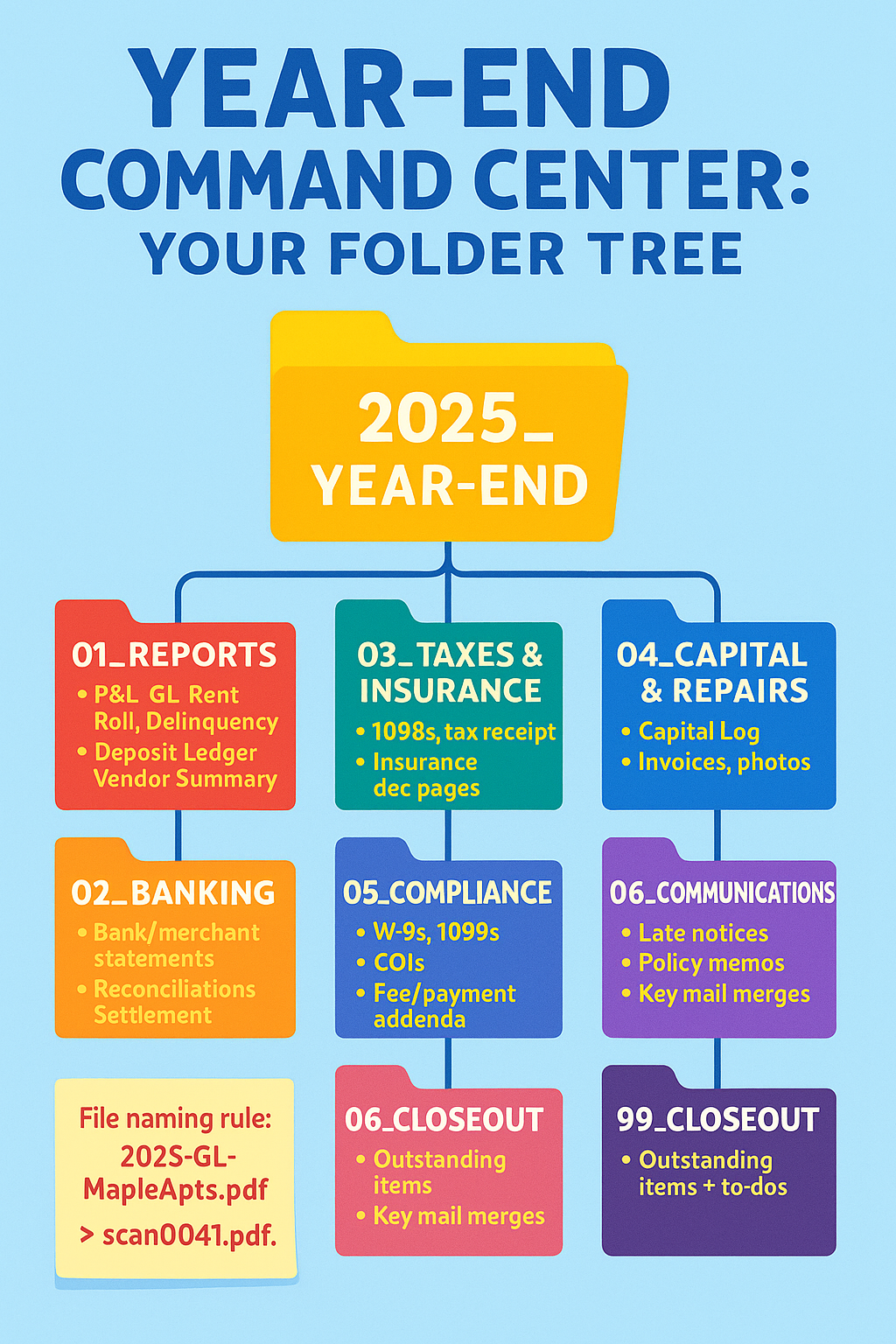
Create a Year-End folder per property/entity:
- Reports – P&L (cash-basis), General Ledger, Rent Roll, Delinquency, Security Deposit Ledger, Vendor Summary.
- Banking – Monthly bank/merchant statements, reconciliations, settlement exports.
- Taxes & Insurance – 1098 interest, property tax receipts (paid dates), insurance declarations/invoices.
- Capital & Repairs – Capital Asset Log, improvement invoices/photos, major repair packets.
- Compliance – W-9 archive, issued 1099-NEC PDFs, COIs, lease addenda for fees/payment methods.
- Communications – Late-notice samples, policy memos, key resident mail merges (PDF).
- Closeout – Outstanding items list and to-do notes.
Name files like a human will search them: 2025-GL-MapleApts.pdf, not scan0041.pdf.
Step 2: Reconcile the books (no archaeology in April)
- Trust/Operating accounts: Ensure December’s statements are reconciled and the reconciliation reports are saved in 02_Banking.
- Undeposited funds/clearing: Zero them out or explain each balance in a note.
- Rent roll vs. ledger: Rent Roll totals must match December activity; chase any misapplied credits.
- Deposits ledger: Confirm deposit balances by tenant equal your liability account.
If a number doesn’t tie, drop a one-line explanation in a ReadMe.txt inside the folder. Future you (and your CPA) will cheer.
Step 3: Pull the “Core Five” reports
- Cash-Basis P&L (Jan–Dec) by property: clean categories mirroring Schedule E.
- General Ledger with attachments enabled.
- Vendor YTD Summary: amounts paid (helps 1099s).
- Security Deposit Detail: balances by tenant.
- Delinquency/Collections Snapshot: as of Dec 31.
Export each to 01_Reports. If your system allows, also export Settlement/Disbursement reports (they reconcile to banking).
Step 4: Lock down capital vs. repair
- Move any capital items lingering in “Repairs” into 04_Capital & Repairs and update the Capital Asset Logwith cost, description, model/serial, placed-in-service date.
- For mixed invoices (repair + replacement), split in the ledger and attach the full PDF plus your internal split note.
- Add before/after photos to the same PDF stack. (Auditors and CPAs love context.)
Step 5: Taxes, insurance, HOA—the high-impact documents
Save paid property tax receipts (with payment dates), the lender’s 1098 interest, insurance dec pages, and HOA dues/assessment confirmations in 03_Taxes & Insurance. These often drive your biggest deductions—don’t make your CPA hunt them.
Step 6: 1099/W-9 hygiene
- Confirm W-9 on file for each service vendor paid $600+.
- Generate and save 1099-NEC copies to 05_Compliance.
- If a vendor is missing a W-9, email the request now and add a sticky note in your purchasing SOP: No W-9, No Check.
Step 7: Payment platforms—make them match
If you used portals, Zelle/Venmo, or cash barcodes:
- Export monthly settlement CSV/PDFs and park them in 02_Banking.
- Reconcile totals to the P&L.
- Save screenshots for any NSF/chargeback resolutions in 06_Communications (with tenant/unit noted).
Step 8: Communications that matter
Archive two or three late-notice PDFs, your holiday cutoff messages, and any payment plan agreements (signed) to 06_Communications. A small sample beats searching sent mail during an audit.
Step 9: Security & retention sweep
- Enable two-factor on your PMS, bank, and storage.
- Audit user roles (remove ex-staff and vendors).
- Purge or archive personal docs per your retention policy (e.g., bank statements 7 years; W-9s while active + 4 years; applications per fair-housing guidance).
Step 10: Roll-forward checklist (print this)
- January folders created with the same structure.
- Capital Log copied forward with “Open” items flagged.
- Vendor list reviewed; add missing W-9s/COIs.
- Payment reminder cadence updated with Central Time cutoffs for bank holidays.
- Maintenance calendar seeded (filters, gutters, HVAC service, dryer vents).
- Tax packet draft ready for CPA by Jan 31.
Quick QA pass (15 minutes)
- Open the P&L and click three random entries—are attachments there?
- Search the Year-End folder for “_final” or “(1)” duplicates—clean them.
- Spot-check one tenant: lease → deposit balance → ledger → communications. The story should read straight through.
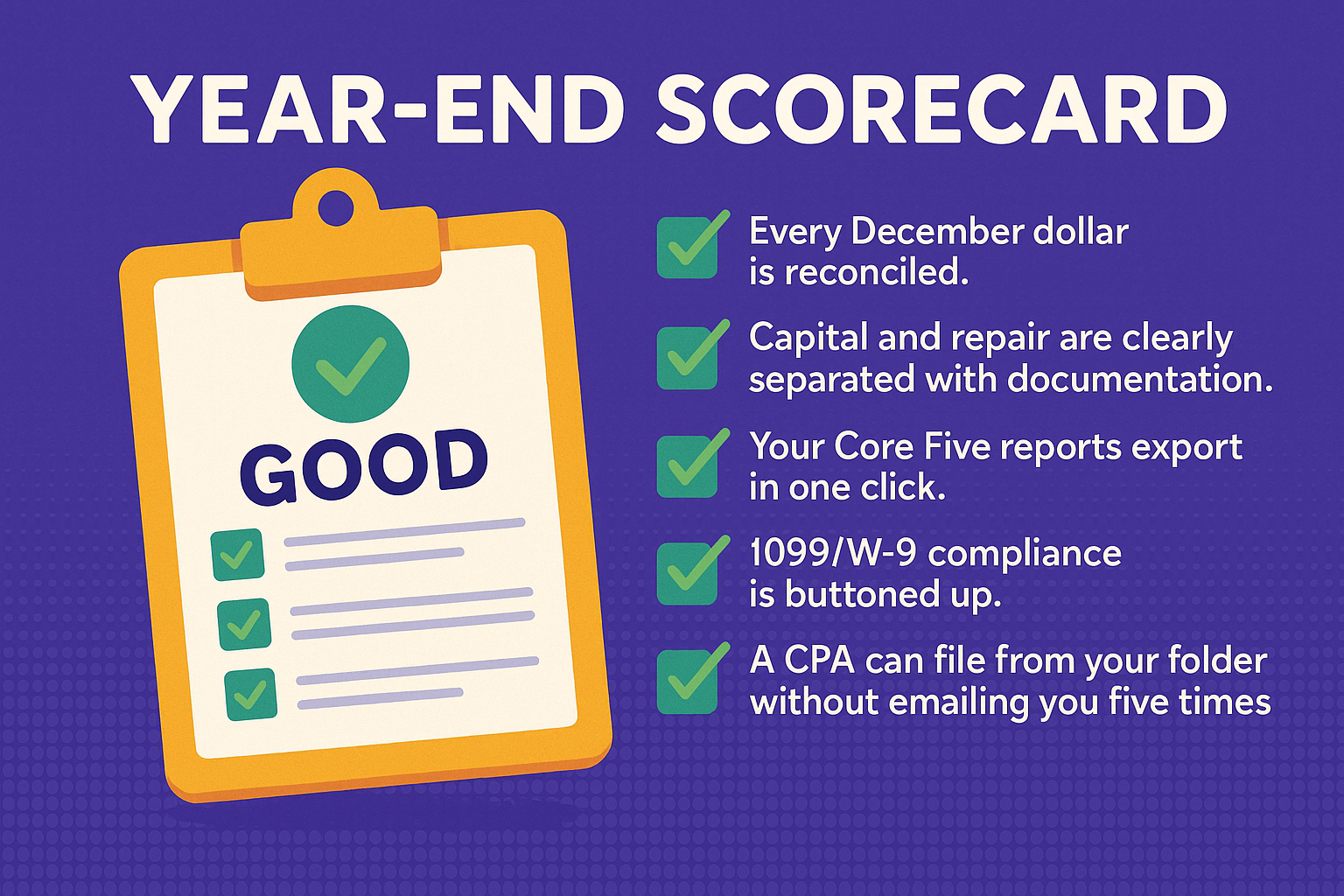
What “good” looks like
- Every December dollar is reconciled.
- Capital and repair are clearly separated with documentation.
- Your Core Five reports export in one click.
- 1099/W-9 compliance is buttoned up.
- A CPA can file from your folder without emailing you five times.
Bottom line
Year-end isn’t about heroics; it’s about structure. Build a predictable folder tree, reconcile December, separate capital from repair, save the high-impact docs, and lock down W-9/1099 compliance. Do that, and handing your CPA a clean digital packet becomes easy—and next December will start from organized, not from scratch.


