

This Content Is Only For Subscribers
January is when every landlord says, “This year I’m going to treat my rentals like a real business.”
And then… we go right back to guessing.
If you’re using property-management software, a bookkeeping app, or even halfway-decent spreadsheets, you already have what you need to stop guessing: reports. The trick is knowing which ones to pull and what to do with them.
Think of this as your early-year “report reading guide” so you can make smarter decisions about rent, maintenance, and growth—especially in a fun place like Texas, where property taxes, insurance, and AC bills all like to keep things interesting.
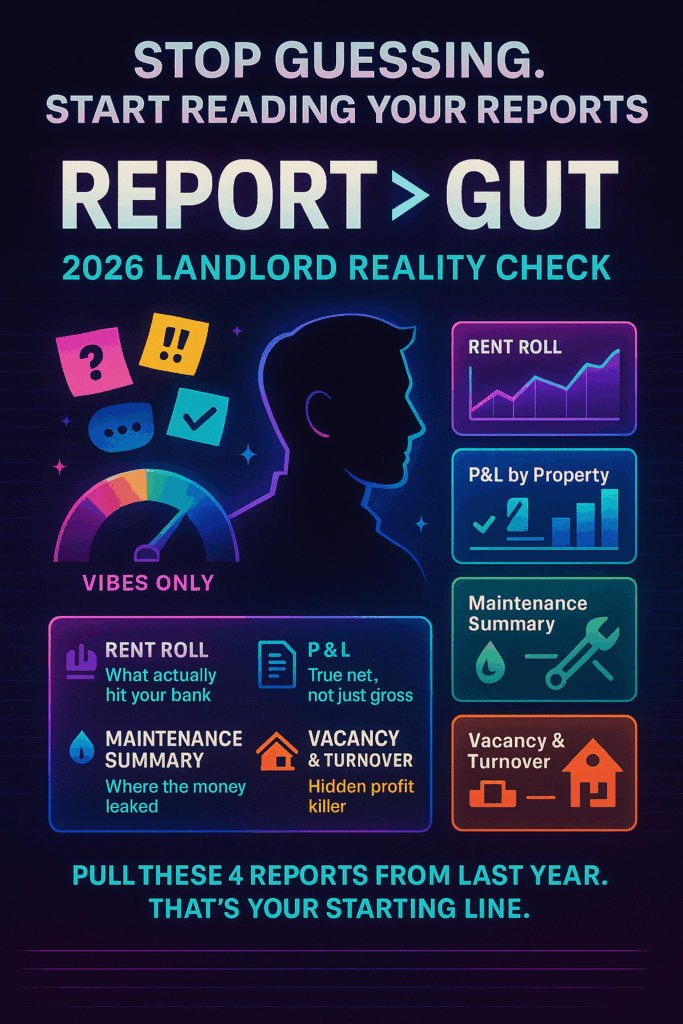
Step 1: Pull the Core Reports (Don’t Overthink It)
You don’t need 30 pages of charts. To kick off the year, pull these basics for last year (by property, if you can):
- Rent Roll / Income Summary
What was billed vs. what was actually collected
Late payments, waived fees, payment plans
- Profit & Loss (P&L) by Property
Income
Operating expenses
Net income / cash flow
- Maintenance & Repairs Report
Total spent per property
Number of work orders
Top categories (HVAC, plumbing, appliances, etc.)
- Vacancy & Turnover Report
Days vacant per property
Number of move-outs and new move-ins
Turnover costs
If your system doesn’t have formal reports, recreate them: a simple spreadsheet with tabs for income, expenses, and maintenance beats “I think that one’s doing okay” every time.
Step 2: Ask the Right Questions of Each Report
The goal isn’t to admire the numbers—it’s to let them talk.
For each property, ask:
- Did this place actually make money last year?
Not just gross rent. After taxes, insurance, HOA, maintenance, and everything else… what’s the real net? - Where did the money leak out?
- High vacancy?
- Constant repairs?
- One big surprise (roof, AC, foundation)?
- Which systems are screaming for attention?
If 60% of your maintenance spend was HVAC, that’s not random—that’s a strategy problem waiting for you. - Are my “problem” tenants really problems—or is it the property?
One chronic late payer is one thing. Half the building struggling is usually a pricing or screening issue.
Write it down. One or two bullet points per property is enough:
“Great tenant / high AC costs / taxes jumped.”
“Always vacant too long / old finishes / rent maybe too high.”
Step 3: Turn Last Year’s Numbers Into This Year’s Moves
Now we use the reports to make actual decisions.
1. Rent & Pricing Strategy
From the rent roll + vacancy data:
- Did you sit vacant too long at your asking rent?
→ Maybe you’re a bit high for that neighborhood or condition. - Did you fill fast but still barely cash flow?
→ Maybe there’s room for a modest increase at renewal paired with better value (small upgrades, solid service).
Set simple per-property goals like:
- “Increase net income by $X without extending vacancy.”
- “Bring this unit to at least break-even while planning a bigger refresh in 2 years.”
2. Maintenance & CapEx Planning
Look at your maintenance report and ask:
- Which properties ate the most repair dollars?
- Are those costs random or predictable (e.g., same AC, same water heater, same plumbing line)?
For 2026:
- Group obvious CapEx projects (roof, HVAC systems, major plumbing) into a 1–3 year plan instead of waiting for emergencies.
- Decide where preventative maintenance might actually save you money (AC service before summer, regular leak checks, gutter cleaning).
3. Reserves & Risk
Using P&L and maintenance info:
- How many months of expenses do you have in reserves per property?
(Mortgage + taxes + insurance + typical repairs.) - Did any surprise bill genuinely scare you?
That’s your sign your reserve target is too low.
Set a realistic goal such as:
“By end of this year, I want at least 3 months of core expenses in reserves for each property.”
Step 4: Build a Simple “Owner Dashboard” Going Forward
Reports shouldn’t be a once-a-year thing. But you also don’t need to live in spreadsheets.
Pick 3–5 metrics to track monthly or quarterly:
- Net cash flow per property
- Days vacant (rolling 12 months)
- Maintenance spend per door
- Delinquency: who’s late and how often
- Reserve balance vs. target
Set up:
- Recurring reports in your software to hit your inbox (monthly P&L, maintenance summary, rent roll).
- A short review ritual: once a month, 15–30 minutes to skim the numbers and jot down any “uh-oh” or “nice!” notes.
Patterns will start popping out:
- “This duplex is always easy and cheap to run.”
- “That single family home is a time-and-money crater.”
Those patterns inform big decisions later: what to refinance, which tenants to keep, what to sell, and what kind of property to buy next.

Step 5: Use Data to Say “No” (and “Yes”) with Confidence
The real power of reports isn’t in making fancy charts; it’s in backing up your gut:
- Want to raise rent? You’ll know why and how much without guessing.
- Thinking about selling a headache property? You can show it’s a headache on paper.
- Debating a big upgrade? You’ll see whether that property is likely to pay you back.
Early in the year is the perfect time to stop flying blind. Pull the reports, ask better questions, and let the numbers tell you what your rentals need from you this year—so you’re running a business on purpose, not by accident.


