

This Content Is Only For Subscribers
When you hear “CRM,” you might think of sales teams and big companies—people chasing leads, tracking calls, and managing customer relationships.
But if you own rental homes in Texas, you’re in a relationship business too.
You’re juggling:
- Prospective tenants asking questions
- Current tenants sending maintenance requests
- Renewal conversations
- Past tenants who might come back—or refer friends
Trying to manage all of that through memory, random emails, and scattered notes is how things slip through the cracks. That’s exactly where a CRM (Customer Relationship Management) tool can quietly become one of the most useful pieces of tech in your landlord toolkit.
You don’t have to go full corporate. Even a simple CRM setup can help you stay organized, professional, and proactive with tenants and prospects.
What a CRM Actually Does for a Landlord
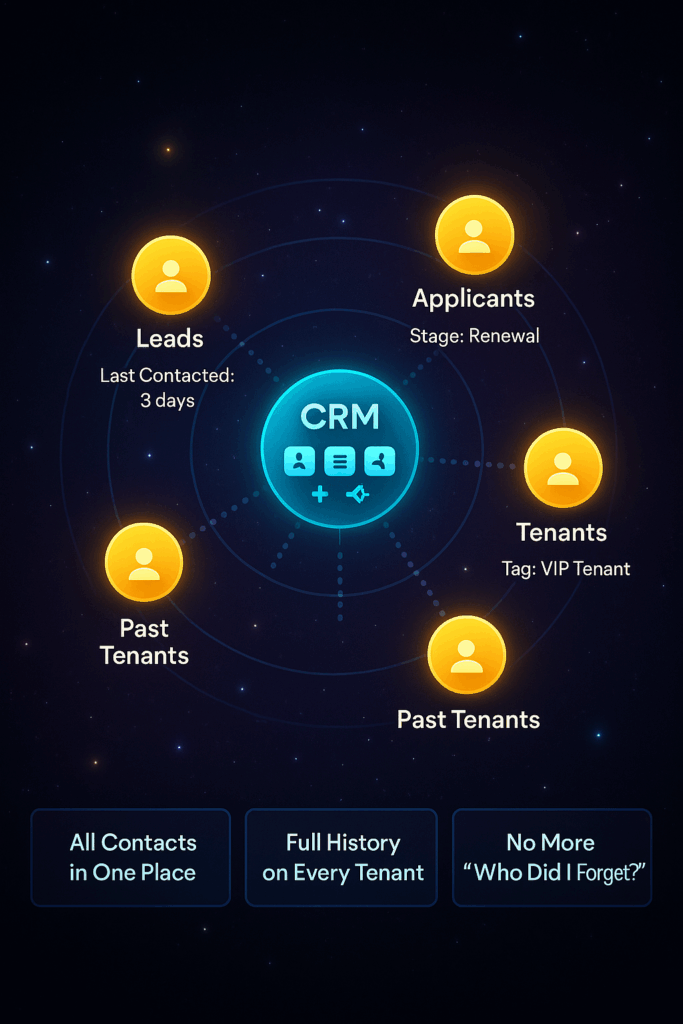
At its core, a CRM:
- Stores contact information (name, email, phone, property address)
- Tracks every interaction (emails, calls, notes, showings, applications)
- Reminds you to follow up at the right time
- Lets you sort and filter people by status (lead, applicant, tenant, past tenant)
Think of it as your relationship control center:
- You see that you last spoke to a prospect 3 days ago and promised to send the application link.
- You remember which past tenant left on good terms and might be a great option for your next vacancy.
- You know which current tenants you’ve already contacted about renewals—and who still needs a message.
Instead of “I feel like I’m forgetting someone,” you have a list.
Mapping the Tenant Journey in a CRM
To use a CRM effectively, think about your tenant lifecycle as stages:
- Lead – Someone inquires about a property.
- Applicant – They’ve applied or scheduled a showing.
- Tenant – They’ve signed a lease and moved in.
- Renewal – You’re deciding if you’ll offer renewal and on what terms.
- Past Tenant – They’ve moved out but may refer others or return later.
In a CRM, each tenant or lead is a “contact” that you move through stages over time.
For example:
- Lead: “Asked about 3/2 in Round Rock on Monday.”
- Applicant: “Application received, screening in progress.”
- Tenant: “Lease signed through June 2026; note: responsive, great communicator.”
- Renewal: “Schedule outreach 90 days before lease end.”
- Past Tenant: “Left in good standing; owns a dog; referred a friend.”
When you open their record, you see the full story—not just their name.
Practical Ways CRM Helps Texas Landlords
1. Follow-Ups You Actually Remember
When you list a home in, say, Katy or Pflugerville, you might get a flurry of calls and emails. A CRM lets you:
- Log each inquiry
- Set reminders: “Follow up with Jose on Thursday if he hasn’t applied”
- Track who actually completed applications versus who ghosted
You’ll fill vacancies faster and look more professional in the process.
2. Better Renewal Management
Texas is competitive; keeping a good tenant is often more profitable than trying your luck with a new one.
With a CRM, you can:
- Create a renewal pipeline
- Set a reminder 90 days before each lease end: “Review payment history and decide on renewal terms”
- Log each renewal conversation so you know who said what, and when
No more last-minute “Oh, their lease ends next week?” surprises.
3. Stronger Relationships With Great Tenants
Some tenants are gems: they pay on time, treat the house well, and communicate kindly. Don’t rely on your memory alone to keep track.
Use tags and notes like:
- “Always pays early”
- “Requests minimal repairs”
- “Family loves the school district—likely to stay long-term”
When you see those tenants in your CRM, you’ll be more intentional about treating them like the VIPs they are.
What Kind of CRM Should You Use?
You’ve got options:
- Built-in CRMs inside property management software
- Pros: Connected to leases, payments, and maintenance.
- Cons: May feel heavier if you only have a few properties.
- General CRMs (business tools adapted for landlord use)
- Pros: Flexible, can be tailored to your flow.
- Cons: You’ll need to set up your own fields and stages.
- Simple contact + notes approach
- Even if you start with structured spreadsheets or contact apps, you can still apply the CRM mindset: track stages, log interactions, set reminders.
The best CRM is the one you’ll actually use consistently.
Tips for Getting Real Value (Without Going Overboard)
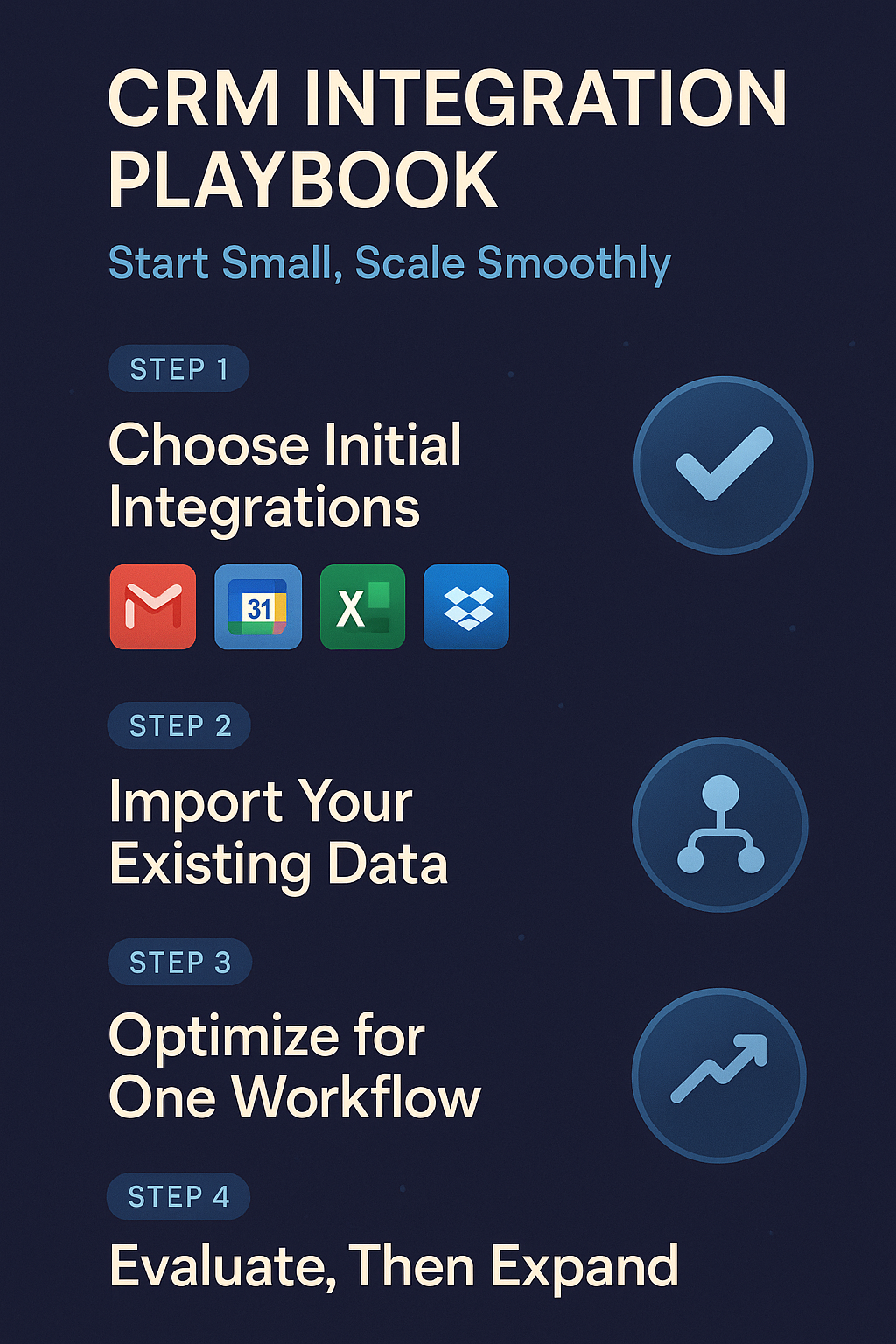
- Start small: one or two key workflows (leasing and renewals).
- Log every interaction with leads and tenants in one system.
- Use reminders for follow-ups instead of trusting memory.
- Review your CRM weekly:
- “Who needs a response?”
- “What leases are ending soon?”
- “Which properties need extra attention?”
Final Thought: CRM as a Quiet Advantage
No tenant stays because you use a CRM. They stay because you communicate well, handle maintenance promptly, and run things smoothly.
A CRM just helps you do those things consistently, even as your portfolio grows or your life gets busier.
For Texas landlords, especially with scattered single-family homes, integrating CRM tools isn’t about becoming a tech company. It’s about running your rental business with the same level of professionalism your tenants are used to seeing in every other part of their digital lives.


